Administrator: Reports
 Updated
by
Jennifer B.
Updated
by
Jennifer B.
Run a report
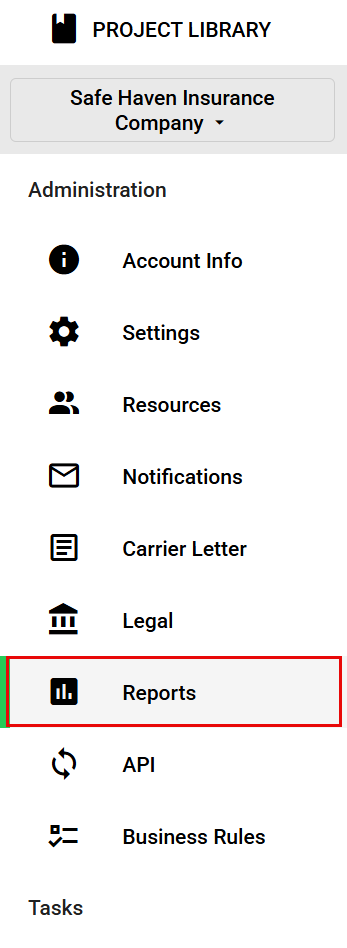
- While in the Administration view of ClaimXperience, select Reports from your side navigation menu.
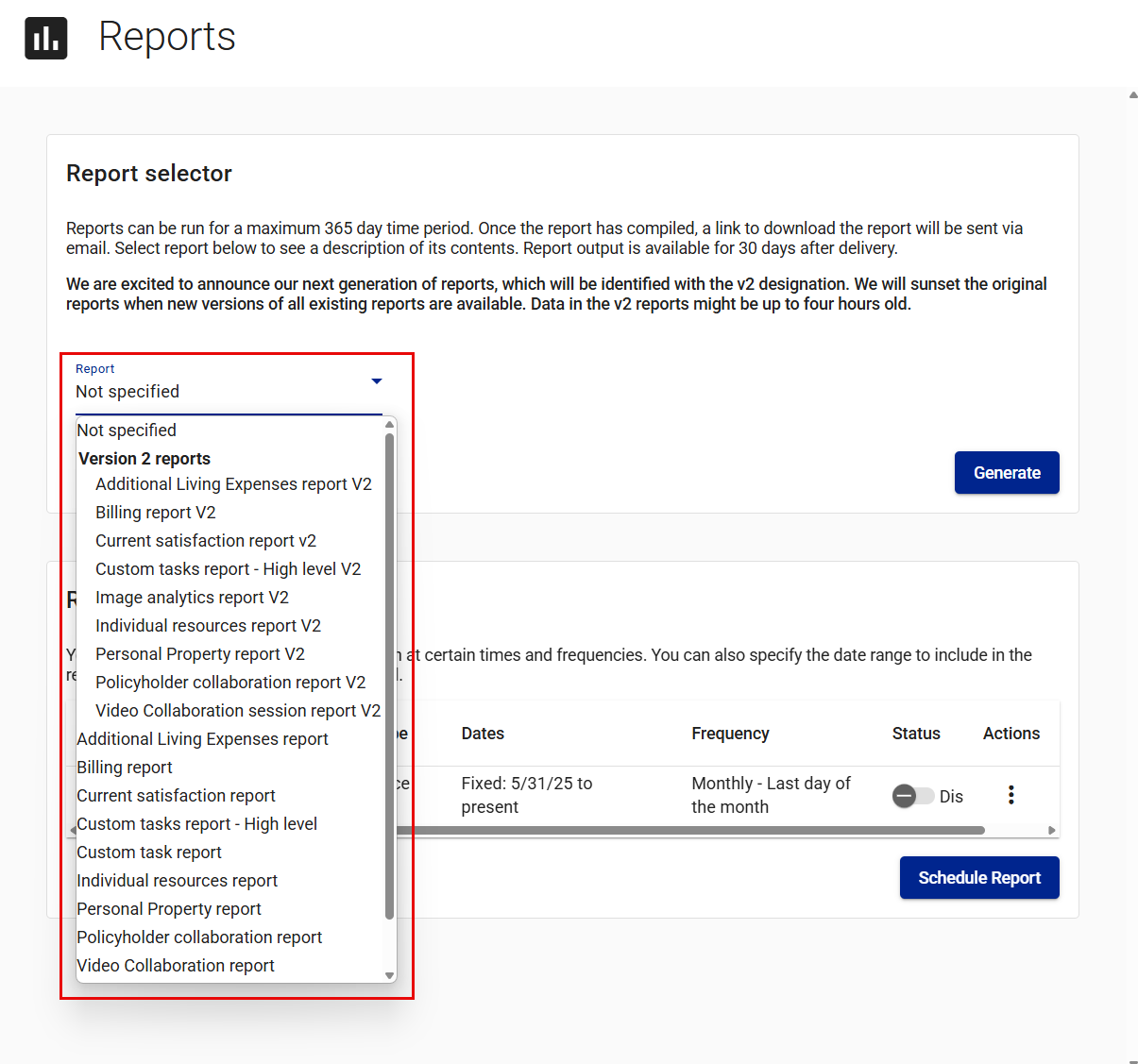
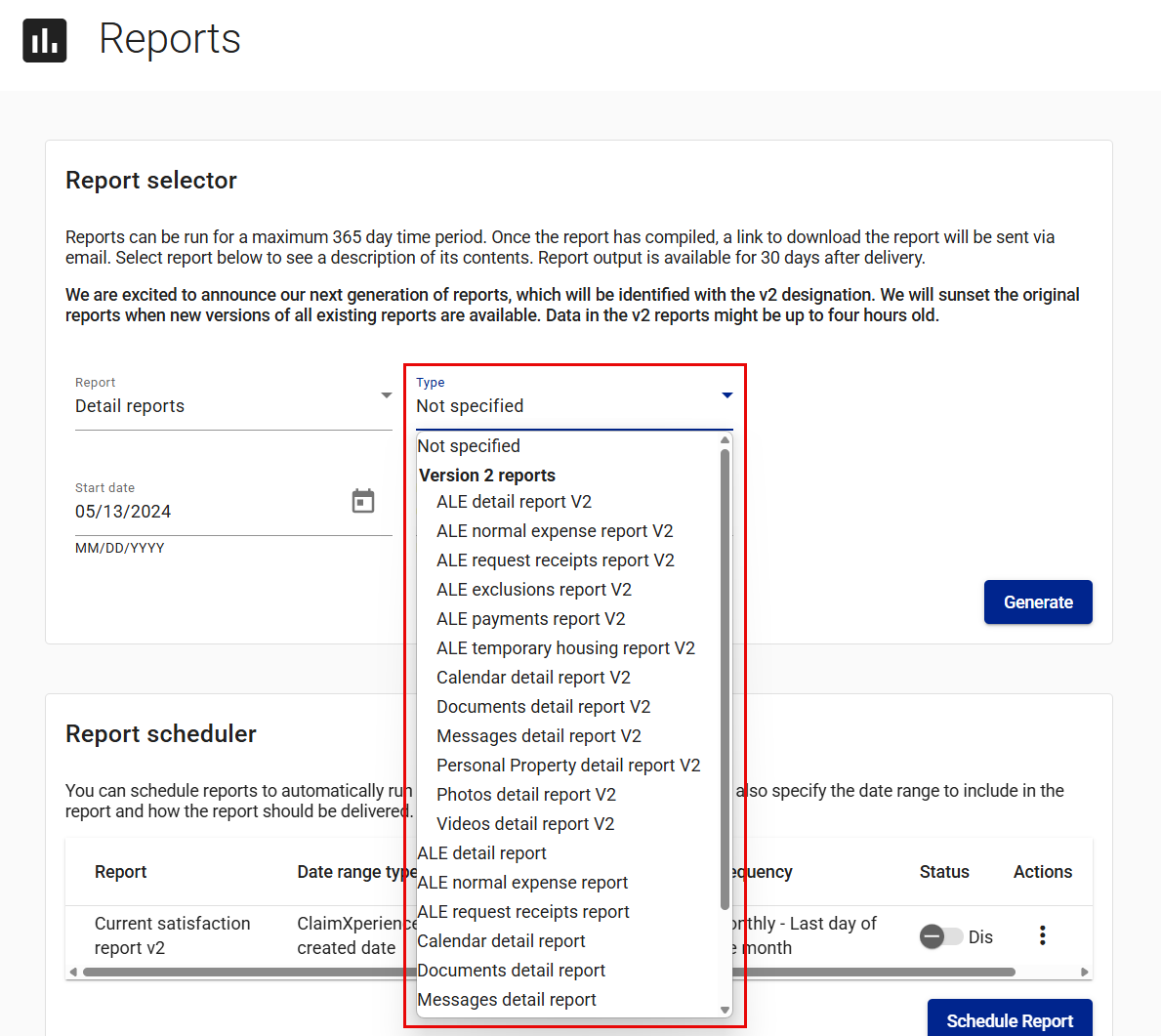
- Choose the report you want to run from the Report dropdown menu. If you select Detail reports, you also need to specify the type of detail report.
- Enter or select the start and end dates.
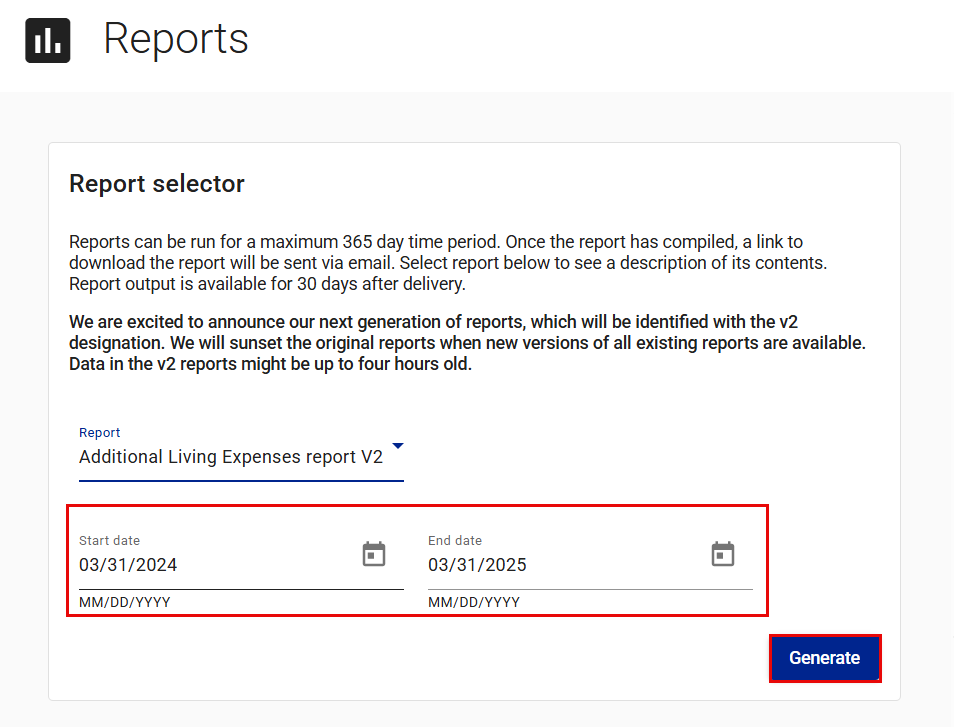
- Select Generate.
When your report is ready, you receive an email or in-app notification containing a link you can use to download your report. Your report is available for 30 days, but it can be re-run when needed.
Schedule a report
- In the administrator view, select Reports from your side navigation menu.
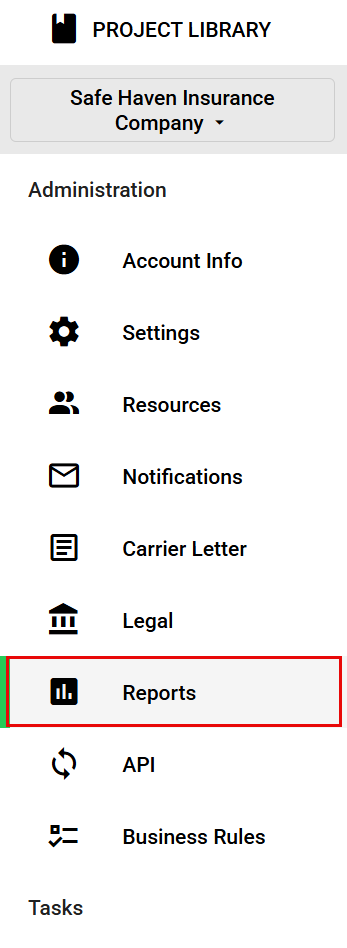
- Select Schedule Report in the Report scheduler card. This opens the Create schedule drawer.
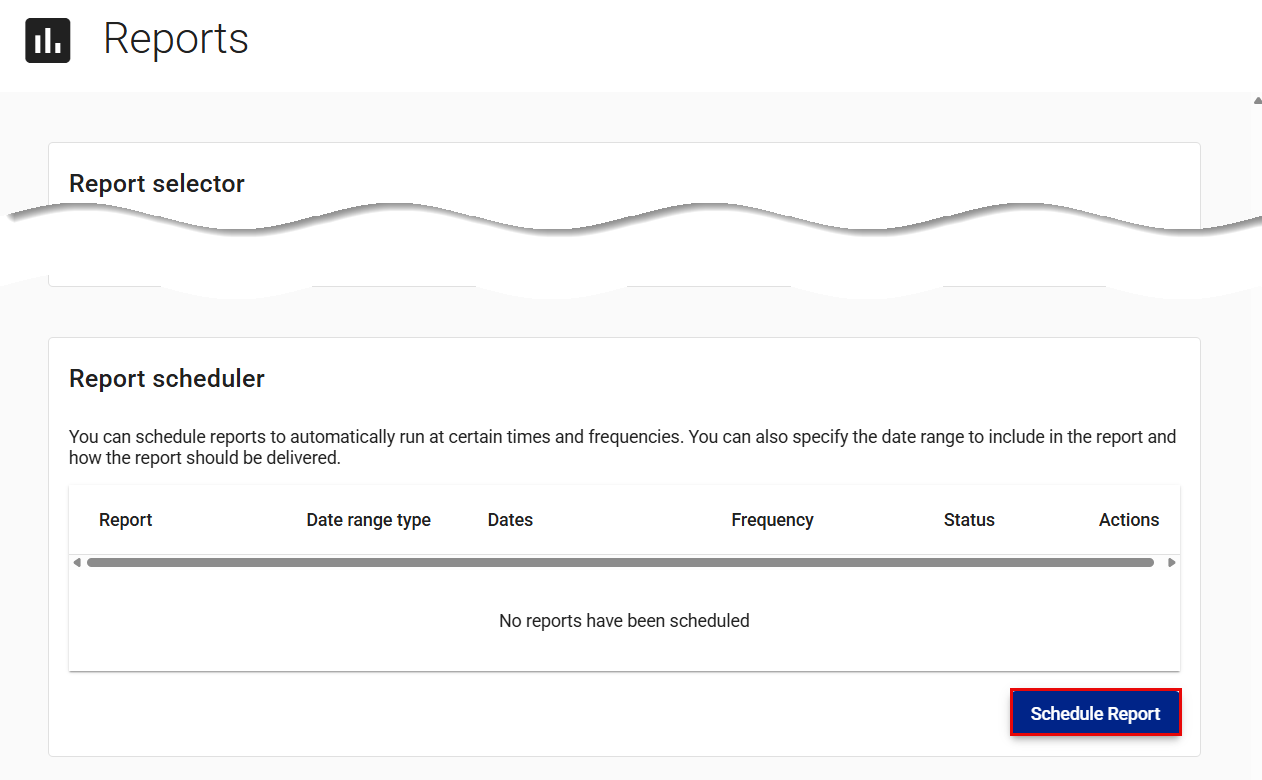
- Select the report you want to run automatically.
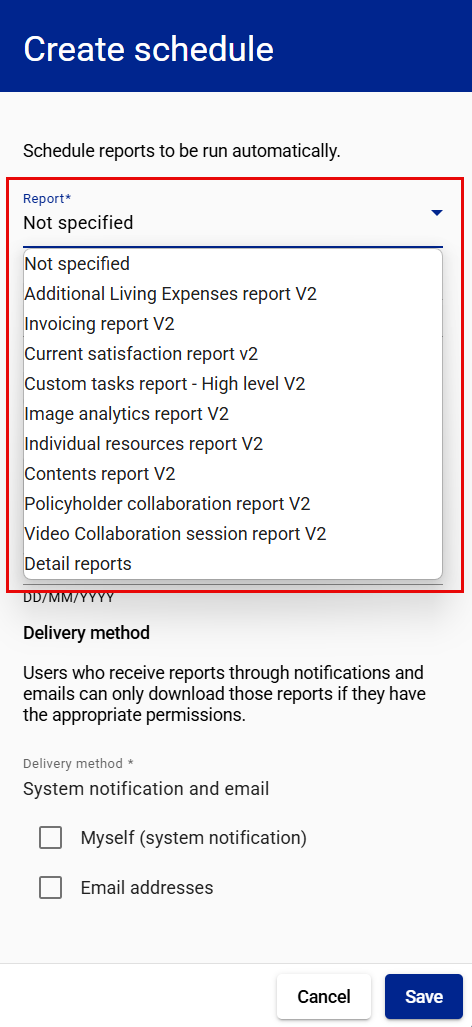
- Select how frequently the report should run.
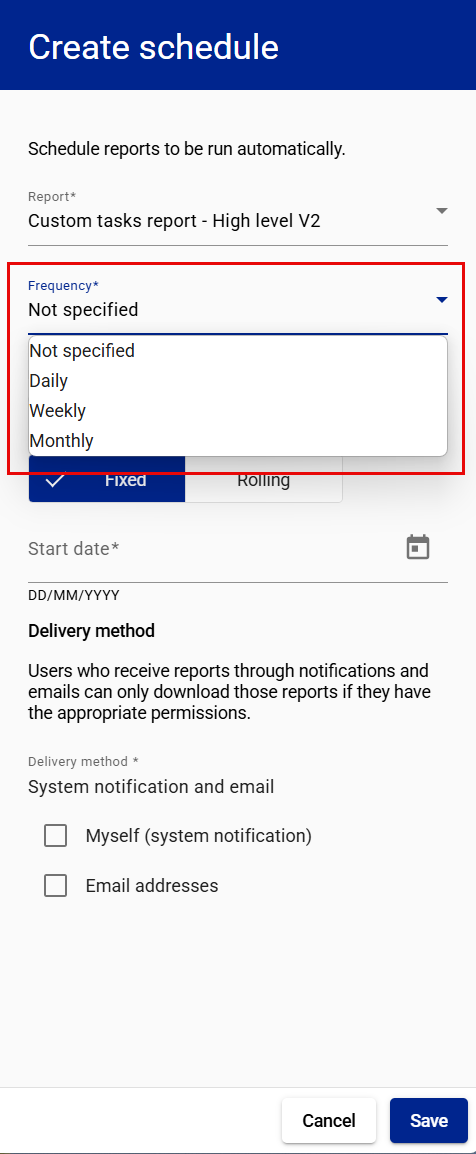
- If you choose Weekly or Monthly, select the day of the week or month to run the report.
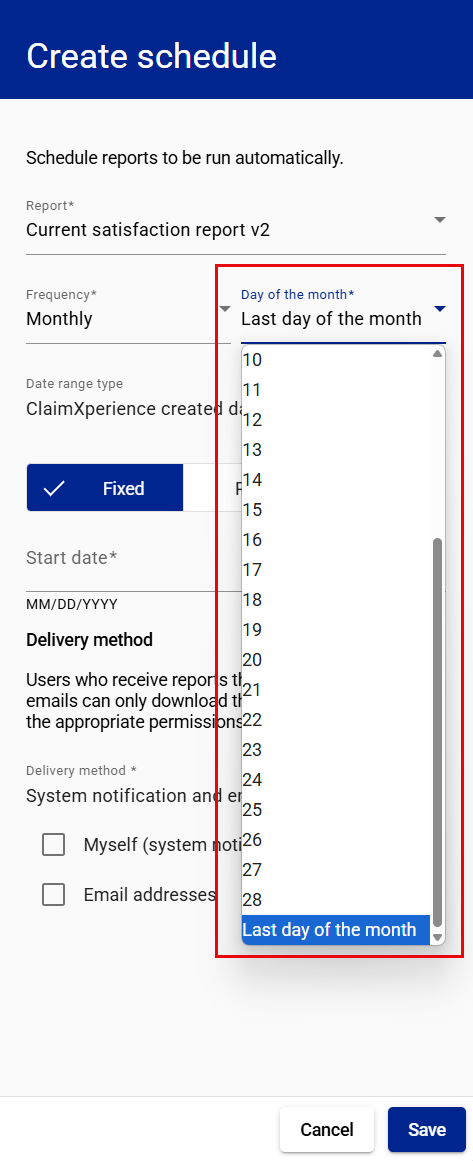
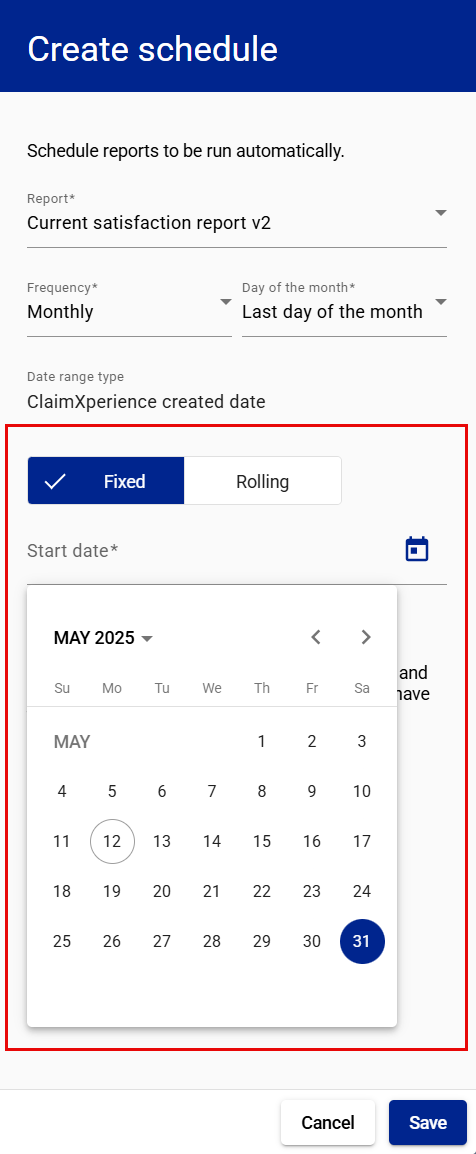
- Select either Fixed or Rolling.
- If you choose Fixed, select the first date you want the report run.
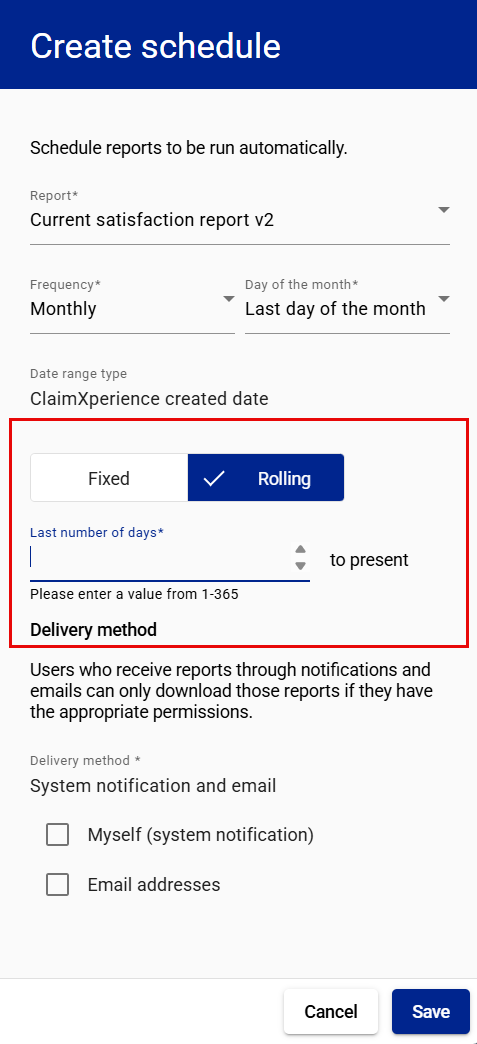
- If you choose Rolling, enter or select the number of days you want included in the report. The end date will be the day the report is run. The report will run at the frequency you select.
- If you choose Fixed, select the first date you want the report run.
- Select the report delivery method.
- If you choose Email addresses, enter the email addresses where you want the report delivered.
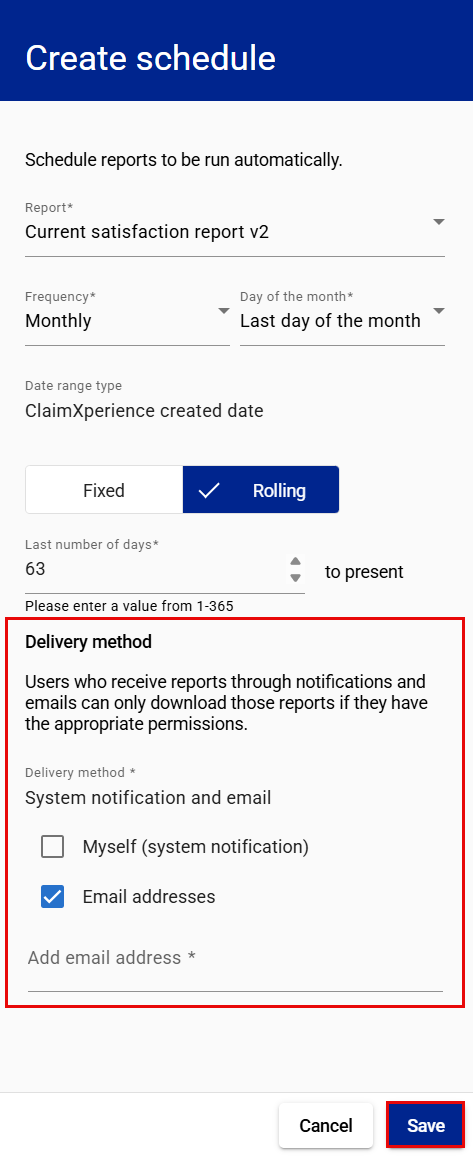
- If you choose Email addresses, enter the email addresses where you want the report delivered.
- Select Save.
Edit a scheduled report
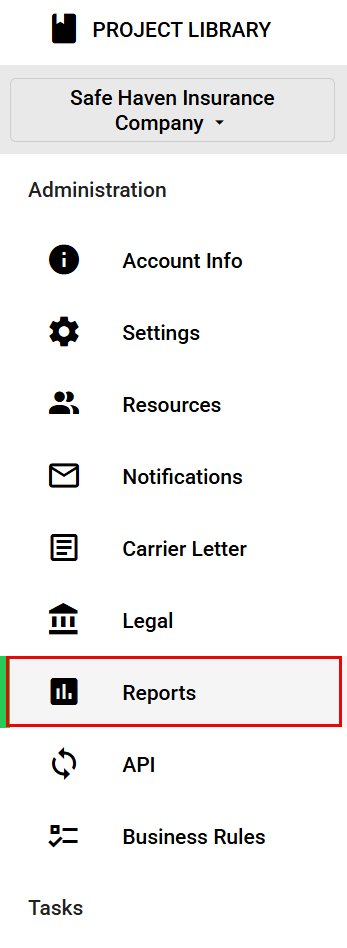
- In the administrator view, select Reports from your side navigation menu.
- In the Report scheduler card, select the Open actions menu icon for the report you want to edit.
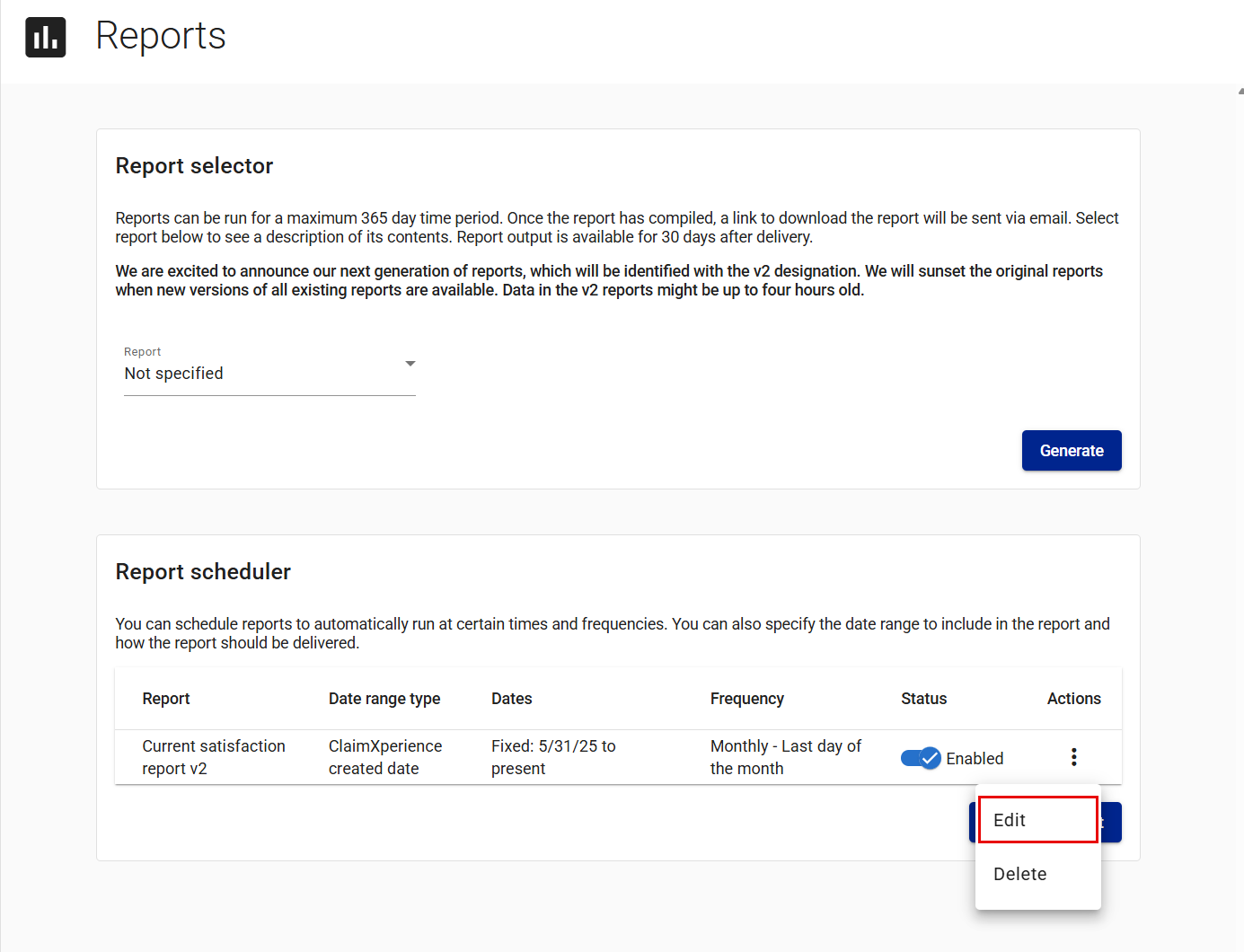
- Select Edit. This opens the Edit schedule drawer.
- Edit the schedule as needed.
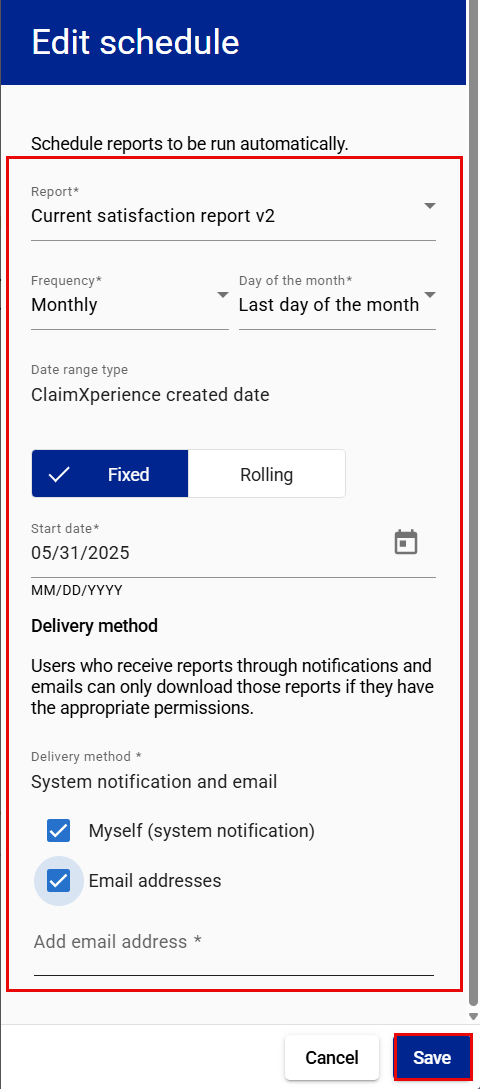
- Select Save.
Delete a scheduled report
- In the administrator view, select Reports from your side navigation menu.
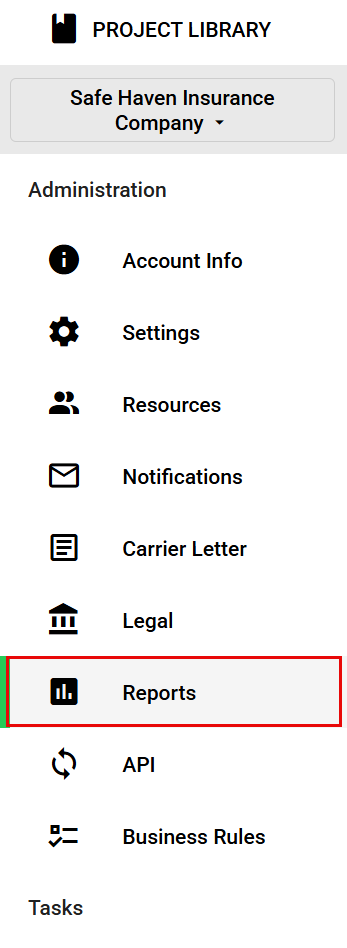
- In the Report scheduler card, select the Open actions menu icon for the report you want to delete.
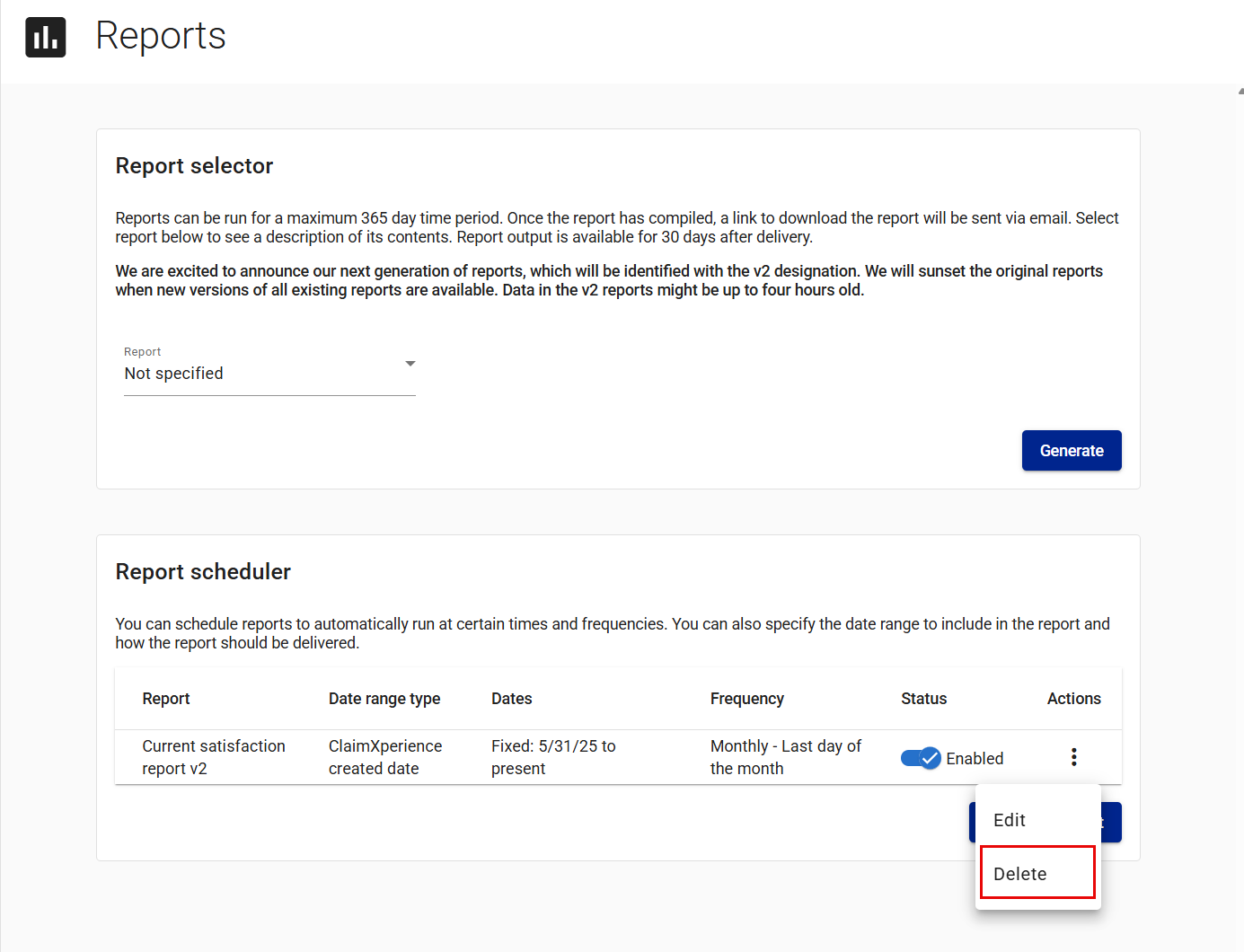
- Select Delete.
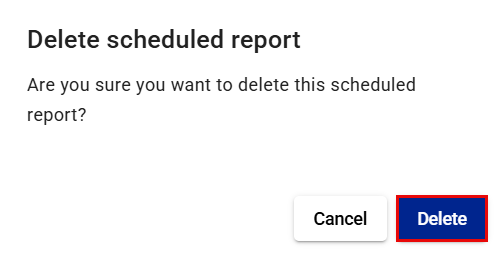
- Select Delete in the Delete scheduled report dialog.